

06 2027 Phaeton Entertainment
Television Antenna
You can automatically search for channels that are active in your area by editing and scanning channels on your remote control. To set up the television, refer to the television instruction manual provided.
NOTE: The antenna booster is located in the front, right cabinet of your unit, and must be ON when using the antenna, and OFF when using cable.
NOTE: If the motorhome has been moved, the channels must be rescanned on each TV.
NOTE: Due to Tiffin Motorhomes’ commitment to continuous research and development, some units might also contain televisions manufactured by other companies (LG, Samsung, etc.). Refer to the information in your Tiffin Knowledge Base Owner’s Hub on setup for the brands.
Television Satellite Dish:
The motorhome may be equipped with an in-motion Dome Satellite Dish Control System (Figure 6-1) to permit access to satellite television. The dome satellite is equipped with a high-definition receiver.

The motorhome can receive High Definition (HD) satellite signal from Dish Network. However, you must subscribe to HD service. The dome satellite, on top of the motorhome, can be raised to allow easy access to change switches to a new satellite provider.
Follow the directions in the Owner’s Manual for this dish-control mechanism to obtain the best orientation of the satellite dish for the desired television reception.
To set up the satellite receiver for Dish Network (Factory Configuration):
1. Remove the satellite dome cover on top of the motor home by removing the fasteners.
2. Change dish settings to 4-7-8 by adjusting the dipswitches to the DOWN position (8 is
already in the DOWN position).
3. Re-install the dome.
On the Dish Remote:
1. Press MENU.
2. Press the no. 6 button.
3. Press the no. 1 button.
4. Press the no. 1 button again. This will bring up the Dish screen. Go to the right-hand column.
5. Where it says, “CHECK SWITCH.” Once this is done, EXIT the system, and then press 0-0-0 to download the information.
Flat screen Television:
The motorhome is High Definition (HD) ready and can receive channels that are broadcasting in High Definition.
To receive a clear picture from the satellite dish, you must subscribe to High Definition (HD) service. The Phaeton is equipped with an automatic switching box that allows you to easily change between TV input modes.
To change the mode of the television, press INPUT on your remote control. Then, select TV, Blu-ray, or Satellite, and press OK.
NOTE: The booster must be ON for the antenna and OFF for the cable. The television sets (Figure 6-2) are located in different areas of the motorhome. All TV sets are High Definition.
The televisions are powered by 120-volt AC electricity; therefore, the motorhome must either be plugged into an external source of AC power or using on-board power from the generator. An optional inverter would also permit the 12-volt DC power to be converted into 120-volt AC for the televisions. Detailed operation of the televisions is provided in the accompanying owner’s manuals found in the Tiffin Knowledge Base Owner’s Hub included with the motorhome.
NOTE: The inverter must be ON to use the TV lift function. The infrared repeater will not work with a Dish Network receiver.
Sound Bar:
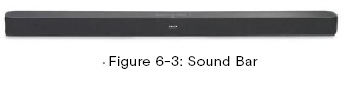
The sound bar (Figure 6-3) automatically comes on with the TV. No setup is required. It is located above the TV close to the ceiling.
WIFI/Satellite Preparation:
For satellite/internet connection, there is a prepped cable that is routed from the Water Board (Figure 6-4) in the basement on the driver’s side and is terminated in the entertainment cabinet. This prep cable is compatible connection for Star Link.
Note: The Starlink must be disconnected from the power source when the motorhome is stored indoors.
